
Free WhatsApp Number Checker – Verify Active Numbers
As one of the world's most popular communication tools, WhatsApp offers an efficient and convenient way to connect. However, since it relies on phone numbers as unique identifiers, many users often encounter a common issue during usage: How do you determine if a specific phone number has an active WhatsApp account?
This is where a WhatsApp Number Check becomes crucial. Whether for B2B marketing lead generation or simply trying to reach a new contact, knowing how to verify numbers can save you significant time. This guide will walk you through three methods to perform a WhatsApp number check, ranging from manual tricks to advanced bulk automated tools, helping you improve your work efficiency effortlessly.
Method 1: Manually verify active WhatsApp Number via Chat Links
Inside WhatsApp, if we send a phone number to another person or to our own "Message Yourself" chat, the number automatically becomes a hyperlink. This is a convenient official feature that allows us to copy the number or initiate a conversation with a single click.
More importantly, we can use this feature as a basic WhatsApp availability checker. When you click on the hyperlinked number:
- If the number is registered on WhatsApp: It will display 2 options ("Chat with..." and "Dial").
- If the number is NOT registered: It will only display 1 option ("Dial").
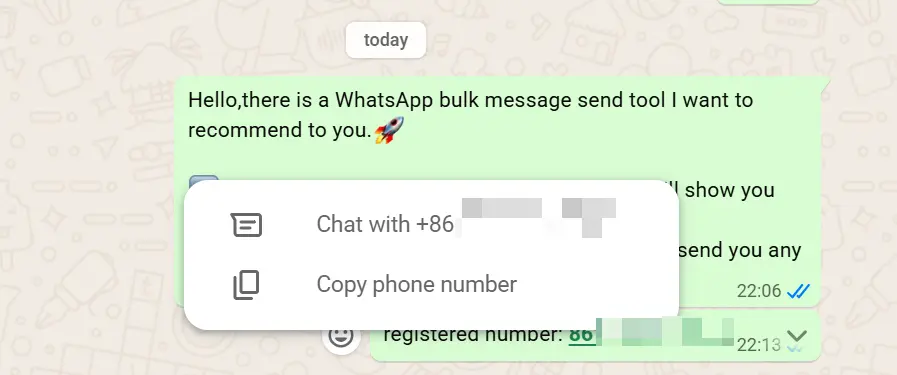 If the number is registered on WhatsApp, it shows 2 options.
If the number is not a valid WhatsApp account, you cannot chat with it, so the app will only offer the option to copy or dial the phone number via your carrier.
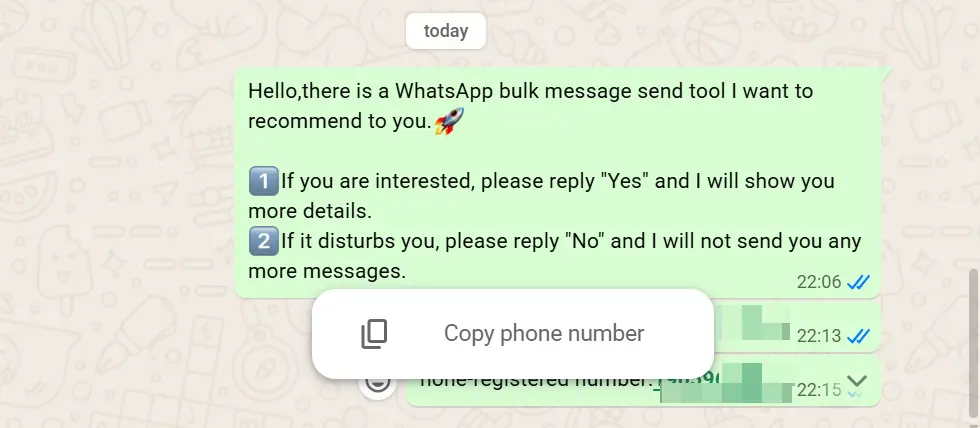 If the number is not registered, it only shows the dial/copy option.
Method 2: Using a Free Chrome Extension for Bulk WhatsApp Number Check
For those working on a desktop, the Chrome Web Store offers various extensions that can significantly boost productivity. Among these, WhatsApp Number Checker stands out as a powerful utility. It is a free Chrome extension designed to help you perform a WhatsApp number check online directly from your browser.
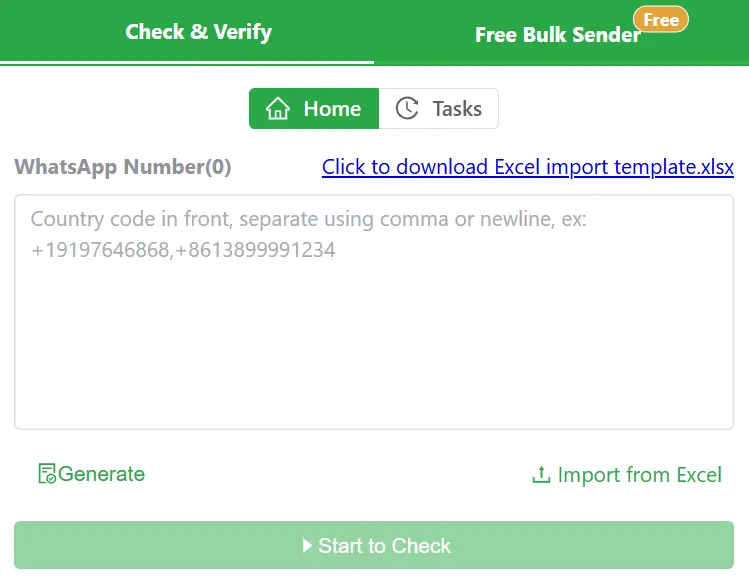 WADesk WhatsApp Number Checker Chrome Extension
If you have a list of customer phone numbers and want to send them WhatsApp messages, you can import these numbers (e.g., via Excel) into this plugin. It will automatically filter the list and tell you which numbers are registered. By performing this WhatsApp validation before sending, you reduce the bounce rate of your bulk messaging campaigns and save valuable time.
Download WhatsApp Number Checker For Free!
Need Bulk Sending Messages after checking numbers? Try WhatsApp Bulk Sender!
Method 3: Advanced Bulk WhatsApp Number Check & Marketing with WADesk
While Google extensions provide a quick and simple way to check numbers, they often come with usage limits or can be affected by WhatsApp Web updates. For businesses looking for a long-term, reliable solution for bulk WhatsApp number checking, a stable WhatsApp SCRM tool is the better choice.
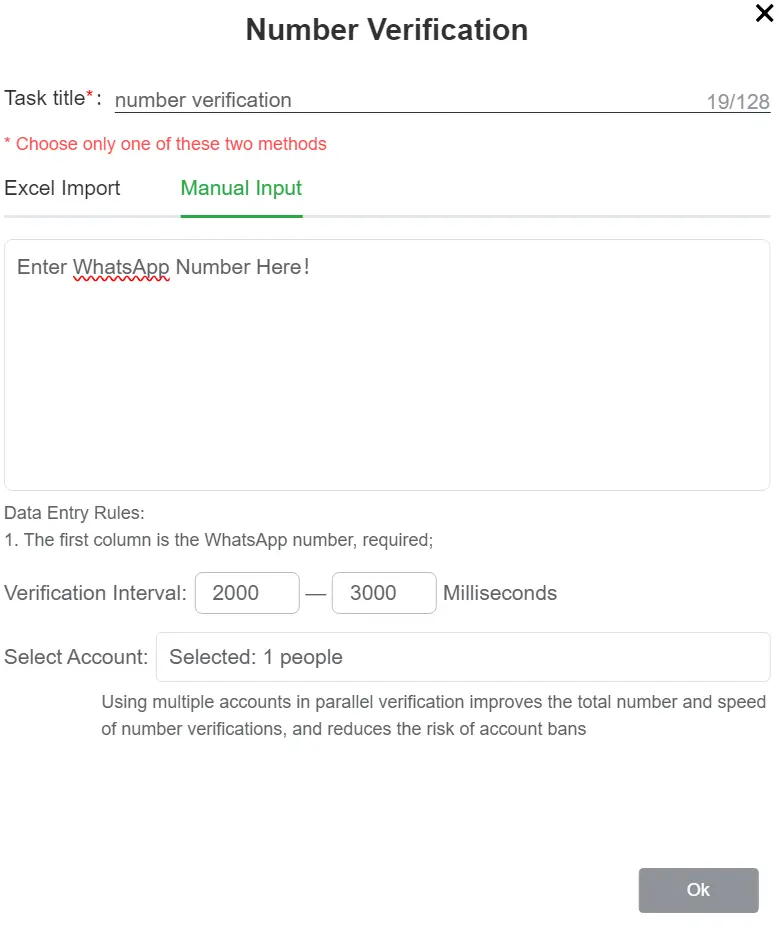 Using WADesk for Bulk WhatsApp Number Check and Filtering
WADesk is designed for high-volume needs. It can perform over 100,000 WhatsApp number checks daily and supports one-click exporting of registered "active" numbers.
Once you have filtered the valid numbers, the workflow becomes seamless:
- Export the valid numbers.
- Import them directly into the WADesk Bulk Sender.
- Launch your campaign with a single click.
WADesk also supports advanced features like multi-template random sending, interval sending, and smart account warm-up. These features drastically reduce the risk of being banned during bulk marketing, helping you acquire customers safely and efficiently.
为什么一定要检验 WhatsApp 号码?批量校验与风险规避全指南
深入解析为何在群发前校验 WhatsApp 号码至关重要。本文将详细阐述 WAChecker 批量校验的好处、隐性封号风险,以及 WhatsApp Number Checker 插件如何通过本地浏览器技术完美规避风险。
How to Configure VPN in WASender: The Ultimate Step-by-Step Anti-Ban Guide
Protect your WhatsApp sender accounts from bans. Learn how to configure a VPN or proxy in WASender, choose the right IP settings, and secure your bulk marketing campaigns.